
Know where the day went, fairly.
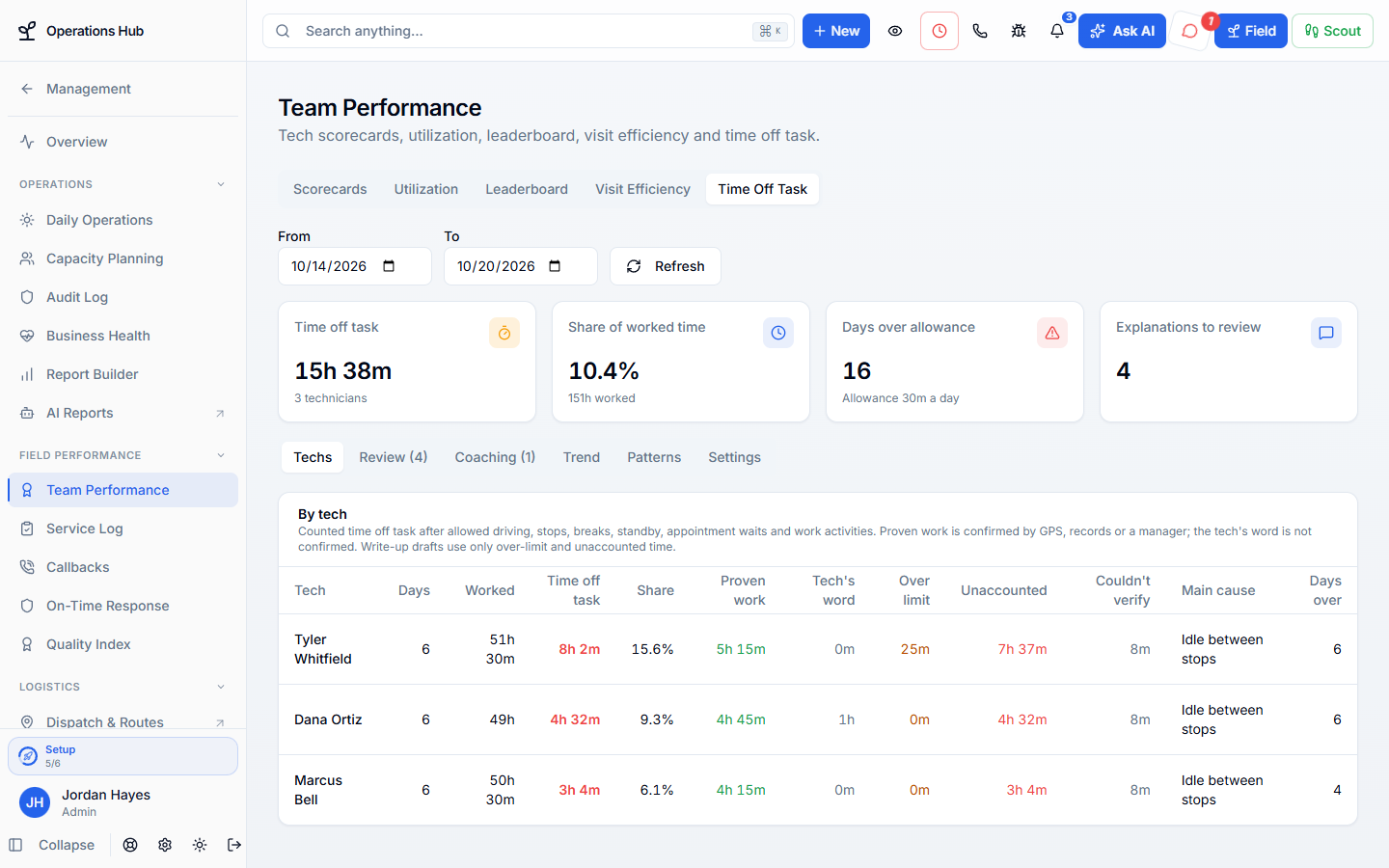
See the time between visits that is not driving, working, or a break. Real work like loading the truck or a supply run counts, and techs can explain the rest.
One tech’s afternoon
Three stops by noon, the next one at four.
An example day. Each gap gets a reason before anyone has a hard conversation.
12:05 p.m.
Supply run started
The tech taps Start activity and picks Supply run. The time counts as work, up to its daily limit.
1:10 p.m.
Waiting at the shop
A replacement part is late. The manager records the wait as work from the field app.
2:40 p.m.
A gap nobody explained
Forty minutes parked between stops shows on the tech’s chip, and they add a reason from their phone.
End of day
The day is saved
The total, what counted and why are saved for the manager to review.
Real work counts
Shop time, supply runs and calls are not idle time.
Work activities
Truck loading, restocking, fuel, animal drop-offs and more, each with its own daily limit.
Saved places
Time at the shop, office or a supplier counts on its own once the tech is there.
Calls and paperwork
Company calls, equipment scans and paperwork after a visit are recorded automatically.
Fair to your techs
Accountability without guesswork.
Without it
- A GPS report calls every shop stop idle time
- Techs find out about a gap when they are written up
- A dropped signal looks like a long lunch
With WildPipe
- Work outside visits counts, with a limit you set
- Techs explain gaps from their phone first
- Time that could not be checked is never used for a write-up
From gap to coaching
Review it, excuse it, or coach it.
- Counted
- Explained
- Excused or counted
- Write-up draft
- Approved by a manager
- Techs explain a gap from their phone, and managers excuse or reject it.
- Open a tech’s gaps for the day straight from their route on Dispatch.
- Draft a write-up for a day over the coaching limit; the tech sees it only after a manager approves it.
- Flag people whose time off task stays well above the team’s for several days.
- Review and coach from the office or the field app.
Your rules
Each company sets its own limits.
Choose the daily allowance, the coaching limit, which activities count and how long each may run, and whether explanations nobody can confirm wait for a manager. Set it once for the business, or differently for each company.
Reviewed first
Coaching becomes a write-up draft the tech sees only after a manager approves it.
From the office or the truck
Managers review and coach in the office app or the field app.
Real screens
See a week of time off task.
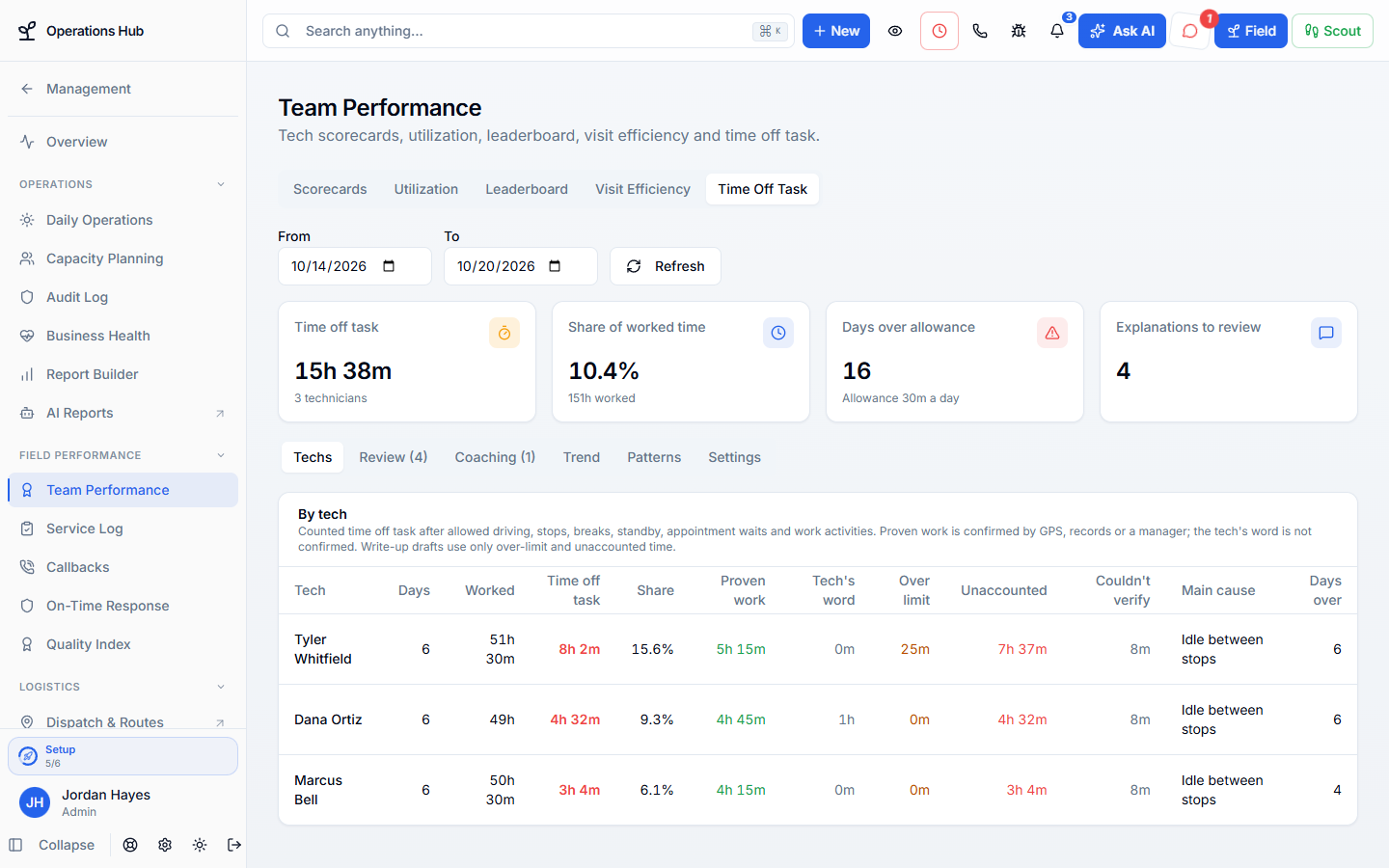
Click the highlighted spot, or use Next.Step 1 of 4
Part of Dispatch & Routing
Counted from the same routes dispatch runs.
Time off task reads the routes, visits, clock-ins and schedules your team already uses, and its badge sits on each route in Dispatch.
Comes in from
Calls & AI agents
A call booked by your team or the AI assistant arrives as a waiting stop with the address, arrival window, and notes already filled in.
Comes in from
Online booking
Customers can only pick real openings, and their booking lands in dispatch ready to assign.
What happens here
Time Off Task
- 1Measured the same way every day
- 2Real work outside visits counts
- 3Review, coach & spot patterns
Same customer, same job, same record.