
One record for every customer, property, and job, from the first call to the last payment.
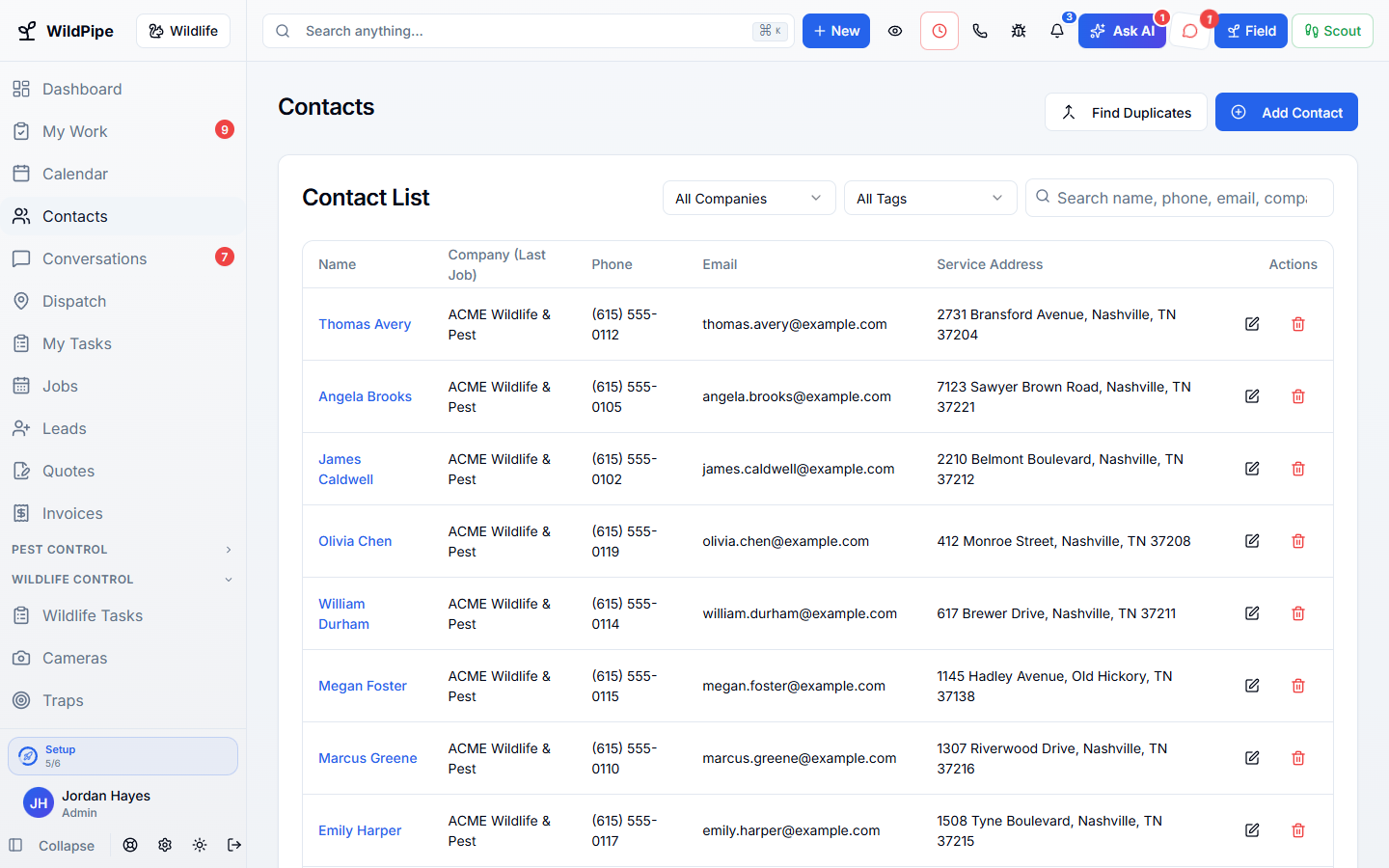
Customer details, properties, jobs, visits, checklists, and files live in one place. Every call, quote, visit, and payment lands on the same record, so anyone in the office can pick up where someone else left off.
Part of one system
Work arrives already filled in, and leaves ready for the next step.
Customers & Jobs is not a separate app you connect. It works from the same customer, job, and record your office, phones, field team, and billing already use.
Comes in from
Calls & messages
Every call, text, email, and chat is filed on the customer it belongs to.
Comes in from
Leads & booking
A web form, online booking, or new caller becomes a customer record without retyping.
What happens here
Customers & Jobs
- Customer Records
- Job Management
- Task Checklists
- Document Center
- Property Details
Same customer, same job, same record.
What it replaces
One system instead of a stack of tools.
- A spreadsheet or old CRM for customer details
- Paper job folders and sticky notes
- Shared drives full of photos and PDFs
- Calling the technician to ask what happened on site
What changes for you
Less chasing. More finished work.
Answer on the first call
Calls, texts, emails, quotes, visits, and payments sit on the same customer timeline.
Nothing typed twice
A customer’s details flow into the job, the visit, the quote, and the invoice.
Complete details from the field
Checklists ask technicians for exactly what you need, so reports come back complete.
Every property kept straight
Landlords, tenants, and property managers each get the right address and contact.
Inside Customers & Jobs
Explore each part.
Customer Records
Know your customer without digging through old notes.
- Customers, properties & contacts
- Messages, history & next steps
- Billing, files & account access
Job Management
Keep the whole job together.
- Multi-visit jobs & crew work
- Work phase, equipment & evidence
- Quotes, invoices & follow-through
Task Checklists
Get the details you need the first time.
- Required notes, photos & forms
- Custom steps & stop reasons
- Approval, history & signoff
Document Center
Find the right file when you need it.
- One place for work files
- Private by default
- Files stay with the work
Property Details
Know more about the property before you quote.
- Available public property details
- Your own service history
- Evidence for the next visit
Clear answers. No sales jargon.
Good to know.
Choosing software is a business decision. Let’s make sure it fits the way you work.
Talk through your questionsCan I bring my customer list with me?
Yes. During setup we review what can move from your current software and help bring it into WildPipe.
Can one customer have several properties?
Yes. Each property keeps its own address, jobs, and history on the same customer.
Your business. Your next chapter.
See what a better
working day looks like.
Bring your questions. We’ll show you how WildPipe fits the way your business works.