
Same price from everyone
The new CSR and the owner quote the same number.
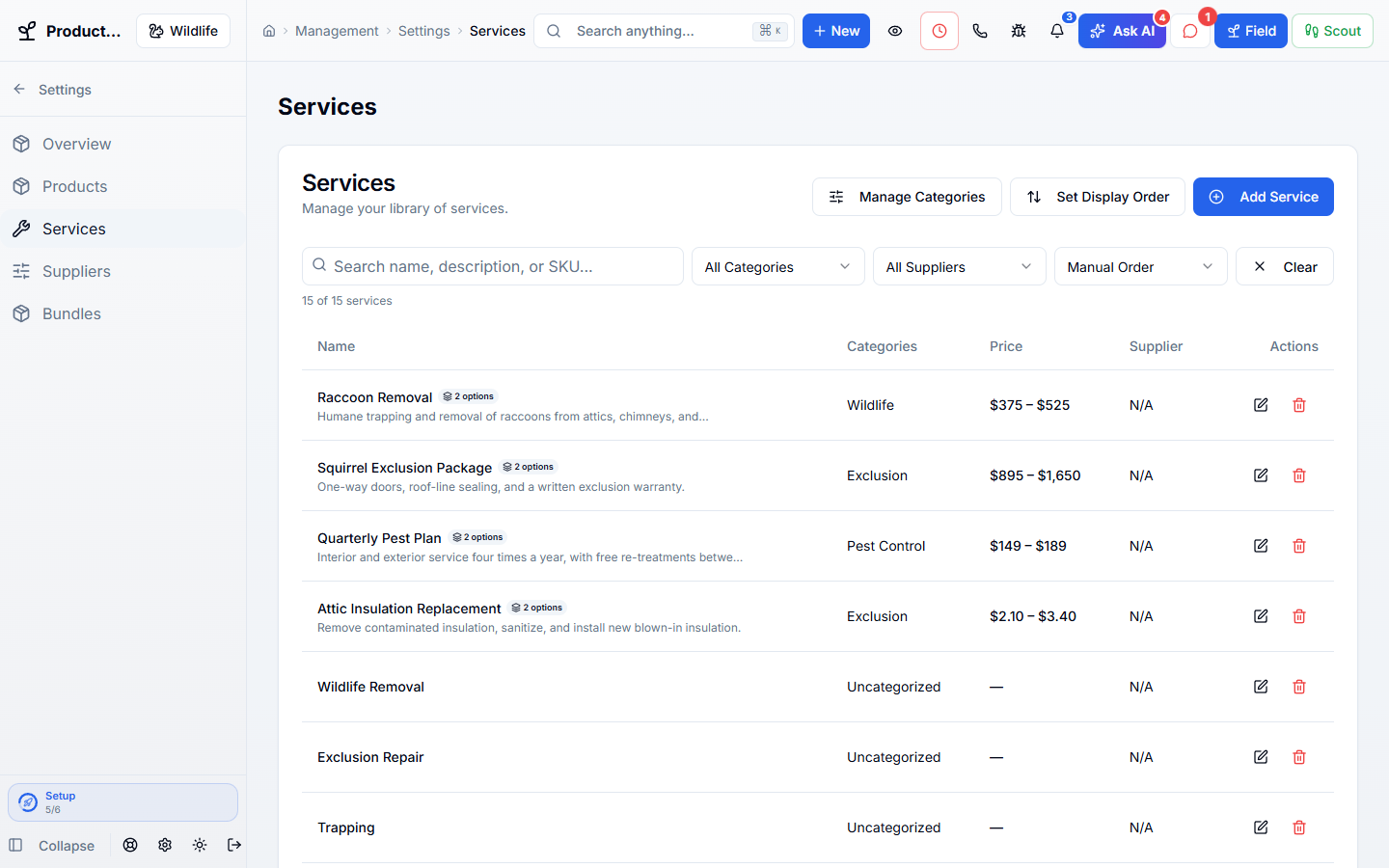
Keep every service, product, option, and bundle with its real price. Quotes, invoices, online booking, and the AI phone assistant all use the same prices.
Works hand in hand with the rest of WildPipe
Built for your everyday work
Set prices and options for each service
Sound familiar?
When every CSR prices a bat exclusion from memory, you get five different numbers for the same house, and some of them lose money.
What Price Book & Catalog does for you
One list of what you charge for a raccoon removal, an attic restoration, or a quarterly pest plan, so every quote matches no matter who writes it.
The new CSR and the owner quote the same number.
Price by size, animal, or number of entry points.
Quotes, online booking, and the AI phone assistant pick up the new price.
Package removal, exclusion, and cleanup together.
Why owners switch
The things owners complain about most in other software, and how WildPipe handles them instead.
With other software
Prices live in a binder, a spreadsheet, and the owner’s head.
With WildPipe
Services, options, products, and bundles share one catalog.
With other software
Online booking and phone quotes show different prices.
With WildPipe
Quotes, invoices, online booking, and the AI phone assistant all read the same prices.
With other software
Changing a price means updating it in several places.
With WildPipe
Change a price once, and new quotes and bookings use it right away.
Based on frustrations owners commonly share in public reviews of field-service and pest control software. See side-by-side comparisons.
Everything included
Explore what price book & catalog includes, how the parts work together, and where you stay in control.
See it work
These are real WildPipe screens. Click the highlighted spot to do what your team does to price every job consistently.
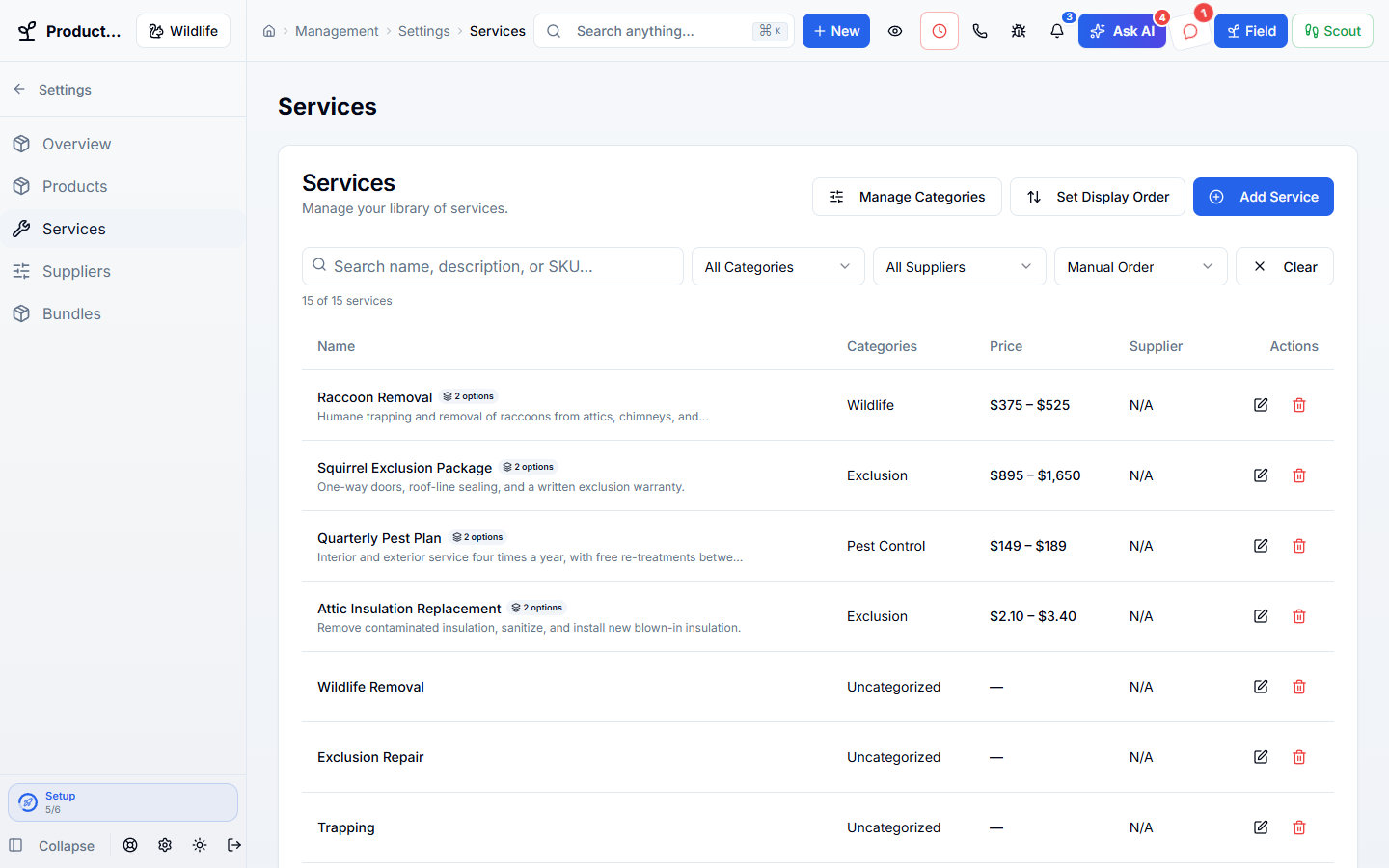
Click the highlighted spot, or use Next.Step 1 of 2
Make it fit your business
The controls worth knowing before you put price book & catalog to work.
How the work flows
Add your services, options, and products.
Group them into categories and bundles.
Quote, invoice, and book from the same prices.
In your working day
Examples of how a typical job can go. Your results depend on your business.
Example 01
A new office hire quotes a bat exclusion. The price comes from your price book instead of from memory.
Example 02
A crew lead adds an attic restoration to a quote and gets the correct price for the square-footage option.
Example 03
You raise a service price once, and new quotes, online booking, and the AI phone assistant all use it.
Real work, start to finish
Examples of how a typical job can go. Your results depend on your business.
Scenario 01
A customer asks for squirrel removal plus sealing the roof line. The bundle price comes up instead of three line items typed from memory.
Scenario 02
You raise your inspection price in spring. Online booking shows the new price the same day.
Scenario 03
A tech in the attic adds insulation replacement to the quote and picks the right square-footage option.
Connected, not complicated
Clear answers. No sales jargon.
Choosing software is a business decision. Let’s make sure it fits the way you work.
Talk through your questionsNo. Accepted quotes keep the price the customer agreed to.
Yes. Each service can be limited to the companies that sell it.
Your business. Your next chapter.
Bring your questions. We’ll show you how WildPipe fits the way your business works.