
No hostage data
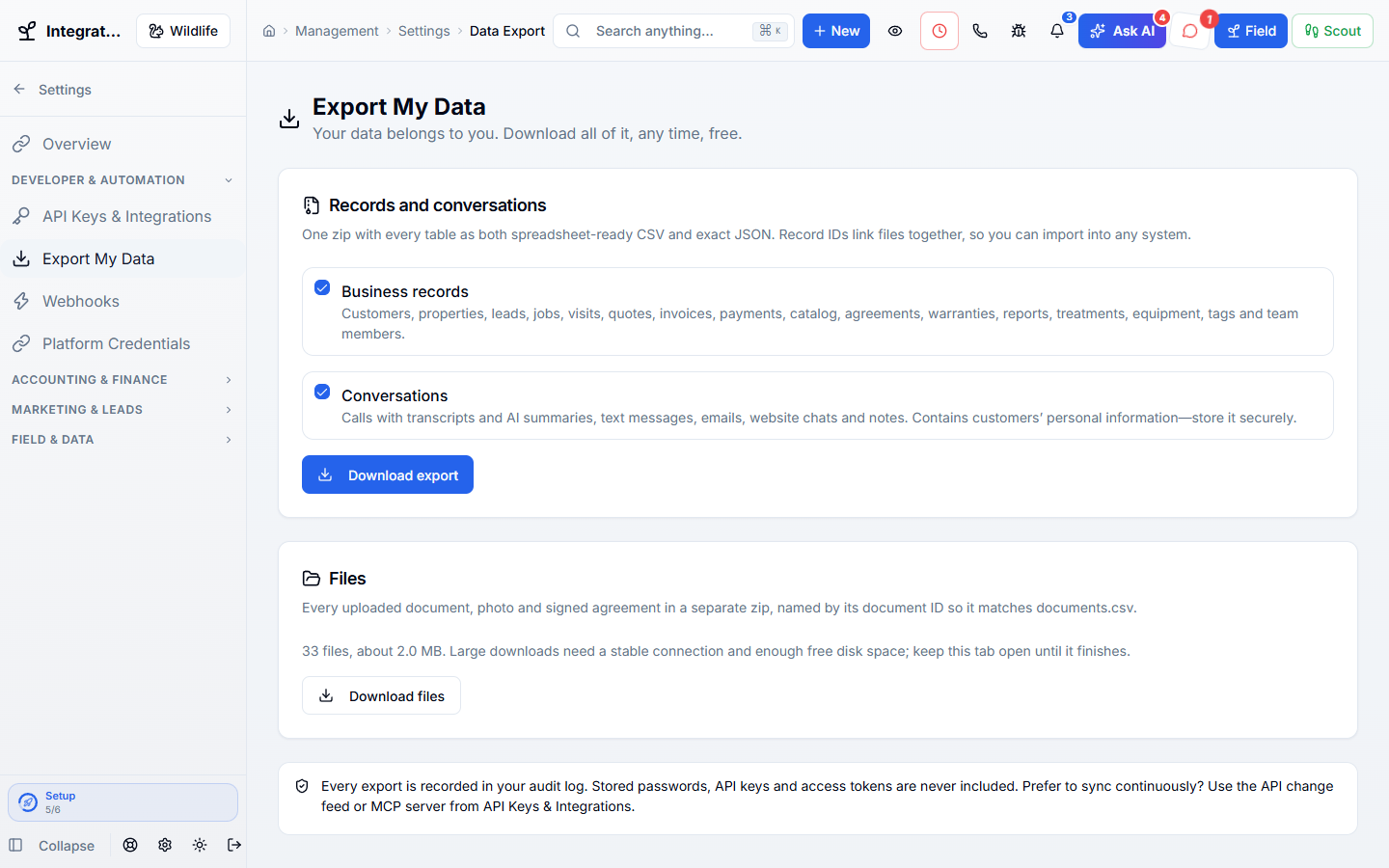
Owners and admins can download everything from settings.
Your customer, job, and money records belong to you. Download them any time, build on the WildPipe API, and send live updates to your other systems.
Works hand in hand with the rest of WildPipe
Built for your everyday work
Download all your records any time
Sound familiar?
Some software makes you ask, wait, and pay to get your own customer list back. Your records should never be held hostage.
What Your Data & API does for you
Your customer list, job history, and payments belong to you. Download them any time, and connect your own tools without asking anyone for permission.
Owners and admins can download everything from settings.
Pull your records into a spreadsheet or your accountant’s system.
Send paid invoices and finished visits to your other tools as they happen.
API keys only get the permissions you give them.
Why owners switch
The things owners complain about most in other software, and how WildPipe handles them instead.
With other software
Getting your own data back takes a support ticket and a fee.
With WildPipe
Owners and admins download everything from settings, any time.
With other software
Integrations need a paid add-on or a middleman.
With WildPipe
API keys and webhooks are part of the platform.
With other software
Syncing means downloading everything every night.
With WildPipe
Read only what changed since your last sync, including deleted records.
Based on frustrations owners commonly share in public reviews of field-service and pest control software. See side-by-side comparisons.
Everything included
Explore what your data & api includes, how the parts work together, and where you stay in control.
See it work
The tools to help you own and use your business data, step by step.
Spreadsheets and files.
API keys and webhooks.
Only what changed.
Make it fit your business
The controls worth knowing before you put your data & api to work.
How the work flows
Download an export or create an API key.
Connect your accounting, reporting, or custom tool.
Keep it in sync with change tracking and webhooks.
In your working day
Examples of how a typical job can go. Your results depend on your business.
Example 01
Your accountant wants every invoice and payment from last year. Download a full export instead of asking anyone for it.
Example 02
Your bookkeeper wants every payment from last year. Download it in minutes.
Example 03
Your own reporting database stays current by reading only what changed since the last sync.
Real work, start to finish
Examples of how a typical job can go. Your results depend on your business.
Scenario 01
Your accountant wants every payment from last year. You download them in a few minutes.
Scenario 02
Your reporting sheet updates itself with only what changed since yesterday.
Scenario 03
A paid invoice sends a message to your bookkeeping tool the moment it is paid.
Connected, not complicated
Clear answers. No sales jargon.
Choosing software is a business decision. Let’s make sure it fits the way you work.
Talk through your questionsNo. Owners and admins can download it any time from settings.
No. Credential-like fields are removed from the export.
Your business. Your next chapter.
Bring your questions. We’ll show you how WildPipe fits the way your business works.