
Papers checked first
Insurance, license, and tax papers reviewed before the job.
Keep the outside companies you hire in one place, with their terms and the insurance and license papers you have reviewed. Each brand sets its own rules for who does the work.
Works hand in hand with the rest of WildPipe
Built for your everyday work
Keep contractor businesses and contacts together
Sound familiar?
The roofer you brought in for a big exclusion job let his insurance lapse last month. You find out after he falls off the ladder.
What Subcontractors does for you
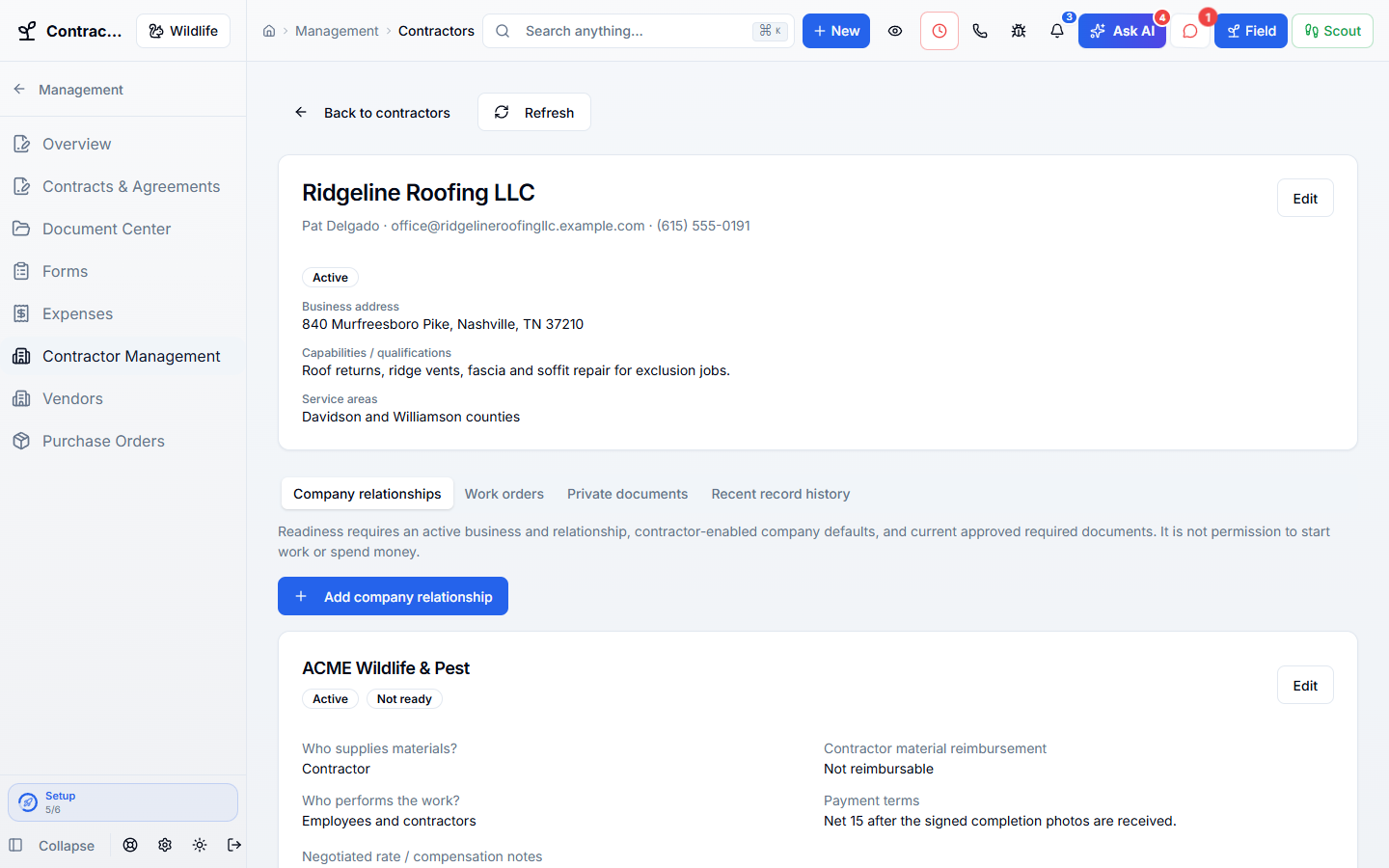
Keep the roofers, carpenters, and outside crews you hire for big exclusion jobs on file, with their insurance and license checked before they set foot on a roof.
Insurance, license, and tax papers reviewed before the job.
Who buys materials and how they are paid, set per brand.
Contractor papers are never shown to customers.
No employee logins and no office access for outside crews.
Why owners switch
The things owners complain about most in other software, and how WildPipe handles them instead.
With other software
Contractor insurance certificates sit in someone’s email.
With WildPipe
Insurance, license, and tax papers are stored privately and reviewed on the contractor’s record.
With other software
Every contractor needs a login that sees your whole office.
With WildPipe
Contractors are business records, not staff accounts, and never get office access.
With other software
Terms change by brand and nobody remembers which.
With WildPipe
Each brand sets its own rules for materials, reimbursement, and payment terms.
Based on frustrations owners commonly share in public reviews of field-service and pest control software. See side-by-side comparisons.
Everything included
Explore what subcontractors includes, how the parts work together, and where you stay in control.
See it work
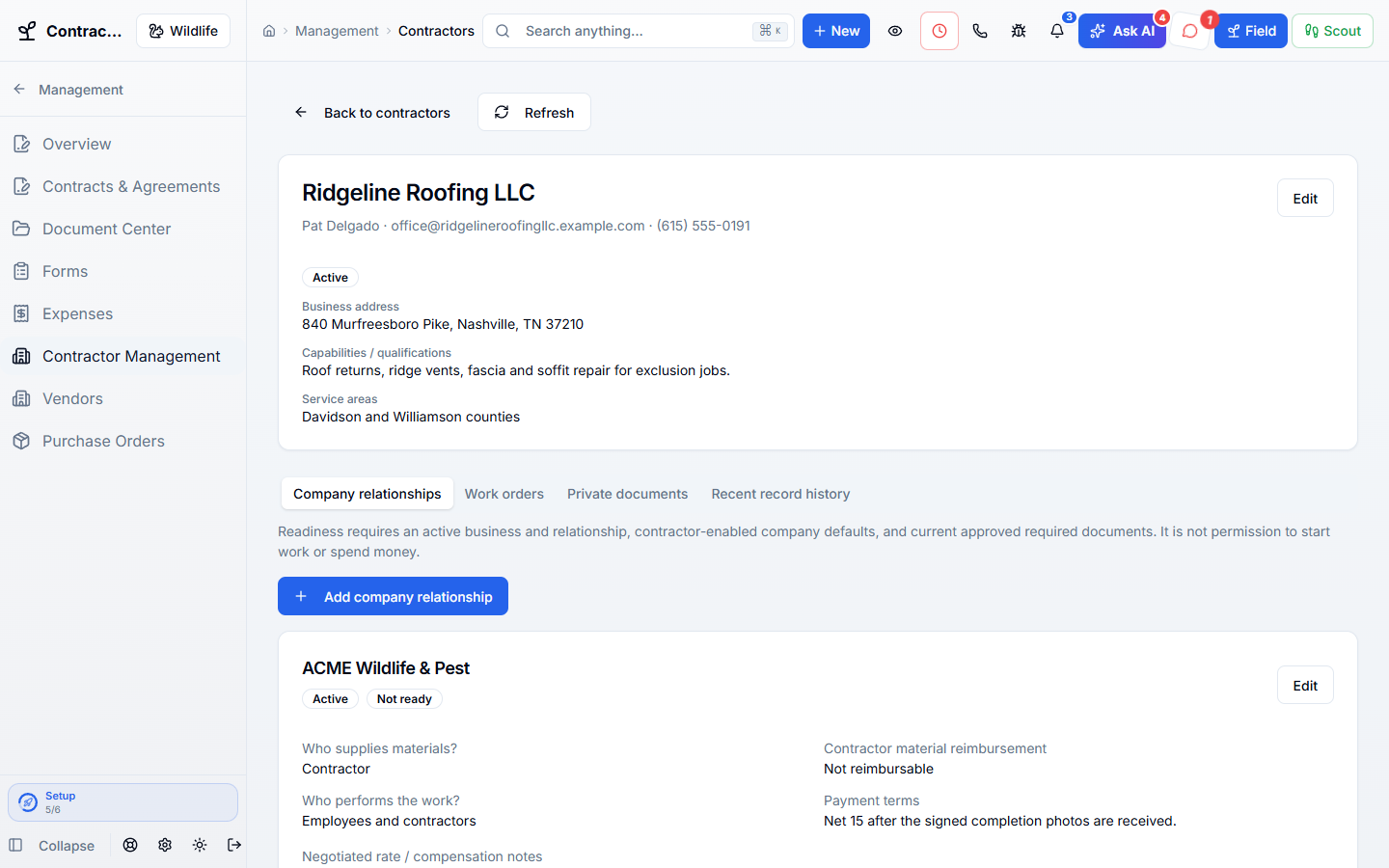
These are real WildPipe screens. Click the highlighted spot to do what your team does to manage subcontractors safely.
Click the highlighted spot, or use Next.Step 1 of 2
Make it fit your business
The controls worth knowing before you put subcontractors to work.
How the work flows
Add the contractor business and its contact.
Collect and review their insurance, license, and other papers.
Set their terms for each brand and mark them ready.
In your working day
Examples of how a typical job can go. Your results depend on your business.
Example 01
You hire a roofing crew for a large exclusion job. Check their insurance is reviewed and their terms are set before the work starts.
Example 02
A roofing partner’s insurance expires. Upload the new certificate and review it before their next exclusion job.
Example 03
Your pest brand pays for materials while your wildlife brand has contractors supply their own. Set each brand’s terms separately.
Real work, start to finish
Examples of how a typical job can go. Your results depend on your business.
Scenario 01
A roofing partner sends a new insurance certificate. You review it, and they show as ready for next week’s ridge-vent job.
Scenario 02
Your wildlife brand has contractors buy their own materials while your pest brand supplies them. Each brand keeps its own rules.
Scenario 03
You check a crew’s history before hiring them again and see every change made to their record.
Connected, not complicated
Clear answers. No sales jargon.
Choosing software is a business decision. Let’s make sure it fits the way you work.
Talk through your questionsNo. Contractors are business records, not staff accounts, and never get office access.
No. Being ready means the required papers were reviewed. It does not decide worker classification or approve payments.
Your business. Your next chapter.
Bring your questions. We’ll show you how WildPipe fits the way your business works.